
With $0, Start Running Your Gaming Lounge Today.
No contracts, no setup fees, no monthly software charges. From day one, you get full access to centralized PC timers, console sessions, café sales, and revenue tracking with zero upfront cost.
Customize the App to Be Your Place.
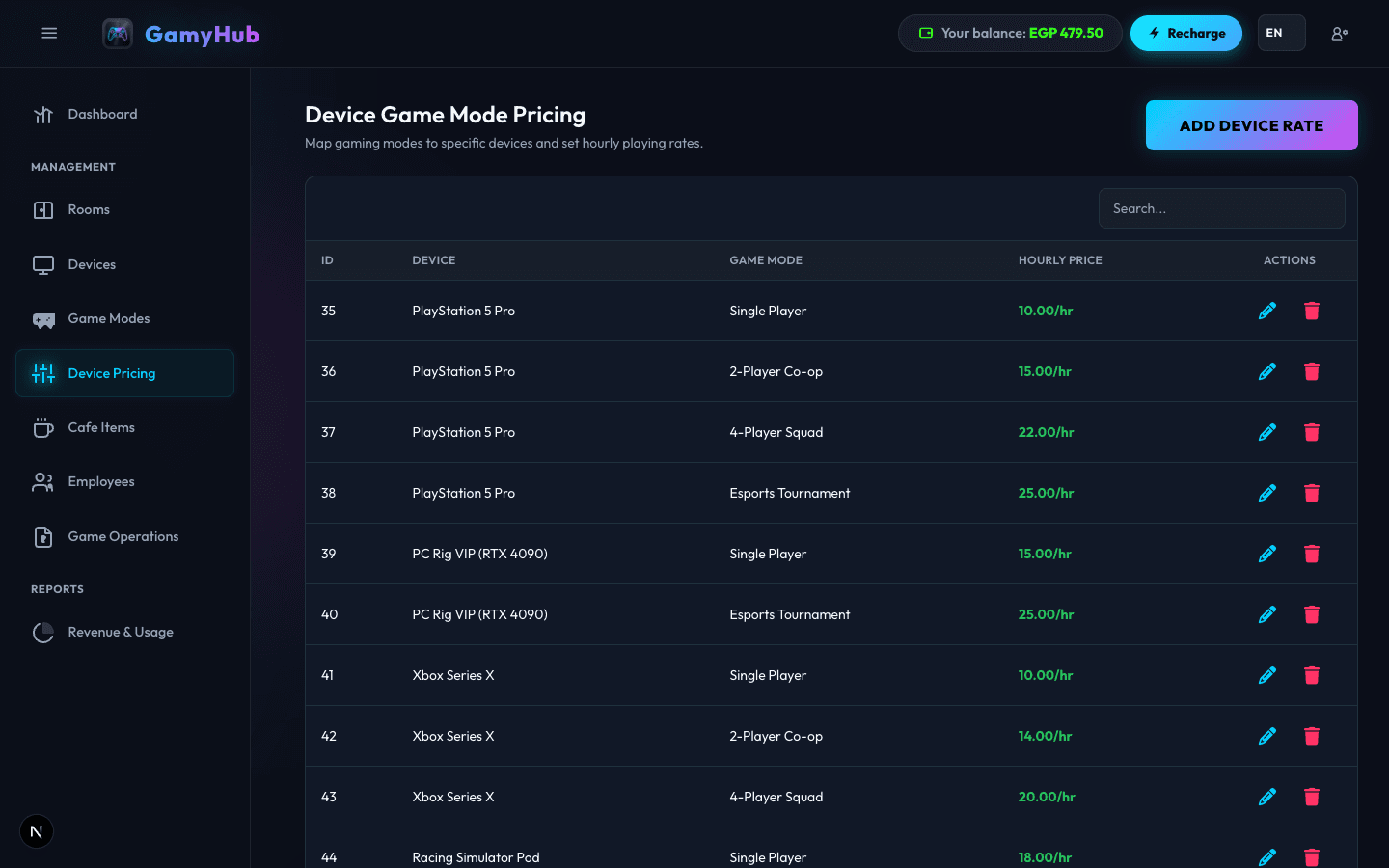
Your lounge, your rules. Differentiate pricing, assign specific screens, define your consoles and PC rigs, configure custom game modes (Single Player, 2-Player Co-op, 3-Player Party, Esports Tournament), and set independent hourly pricing per device.
Add Devices
Categorize PS5 Stations, Xbox SX, Racing Simulators, and PC VIP rigs easily.
Custom Tariffs
Pay $10 for 1hr, $18/2hrs, $25/3hrs. Tiered rates increase session time.
Flexible Game Modes
Solo campaign, 2-Player Co-op, 4P Squad. Dynamic rate shifts on-the-fly.
Dynamic Time Slots
Configurable weekend, tournament, and happy hour rates automatically apply.
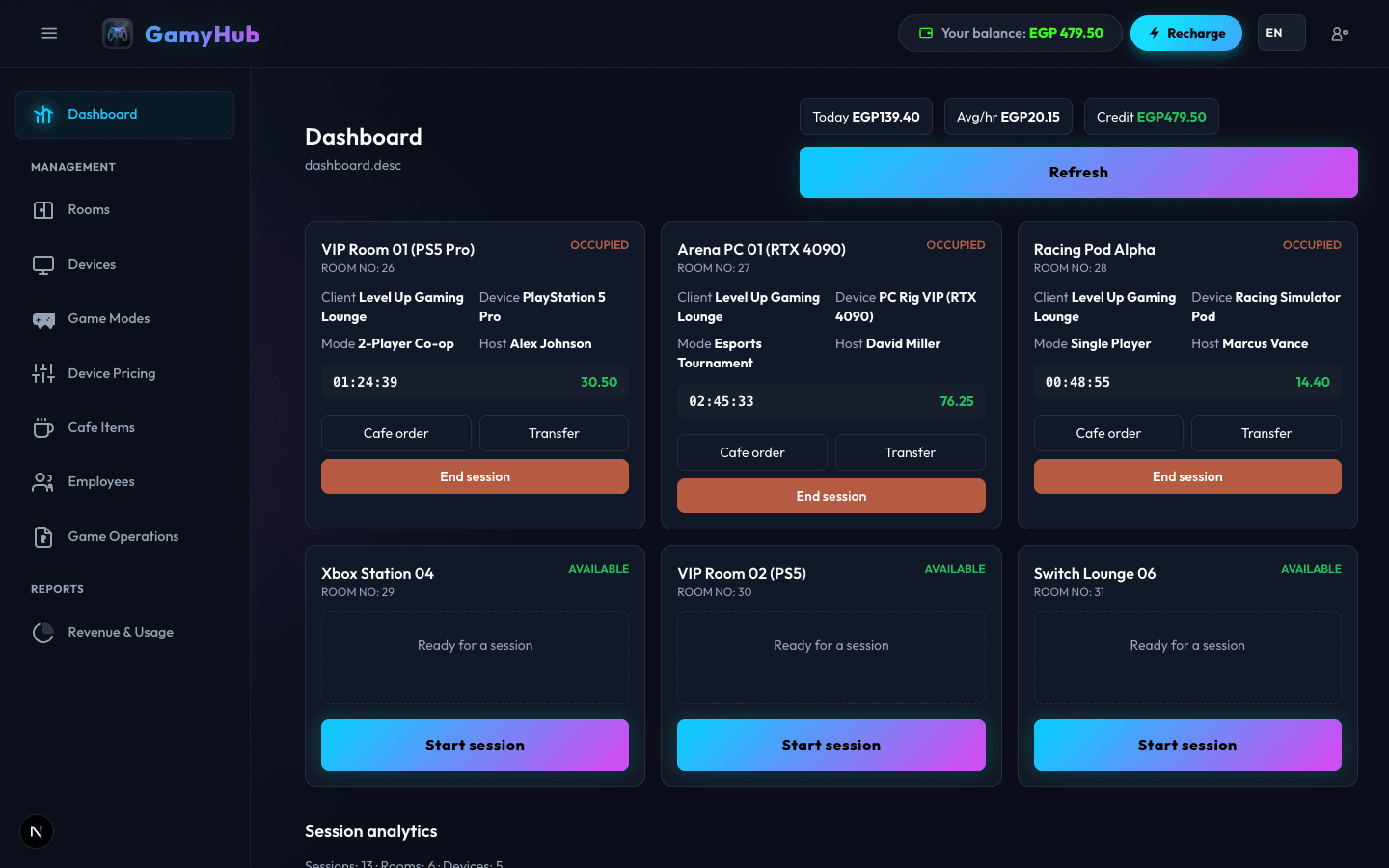
Real-Time Revenue & Live Clock for Every Operating Room.
Never wonder what your lounge is earning right this second. Track live session clocks, view on-the-fly orders in real-time, adjust game modes dynamically, and calculate session charges before checkout.
Per-Second Accuracy Billing Clock
Precise second-by-second calculation ensures you never undercharge a customer.
Game Disconnection & Pause Safeguard
System automatically holds session state if a console is interrupted or restarted.
Live Running Total + F&B Cart Sync
Real-time tab update when staff adds snacks, drinks, or extra controllers.
Instant Split Billing & Partial Settlement
Customers can pay individually or split the bill seamlessly at checkout.
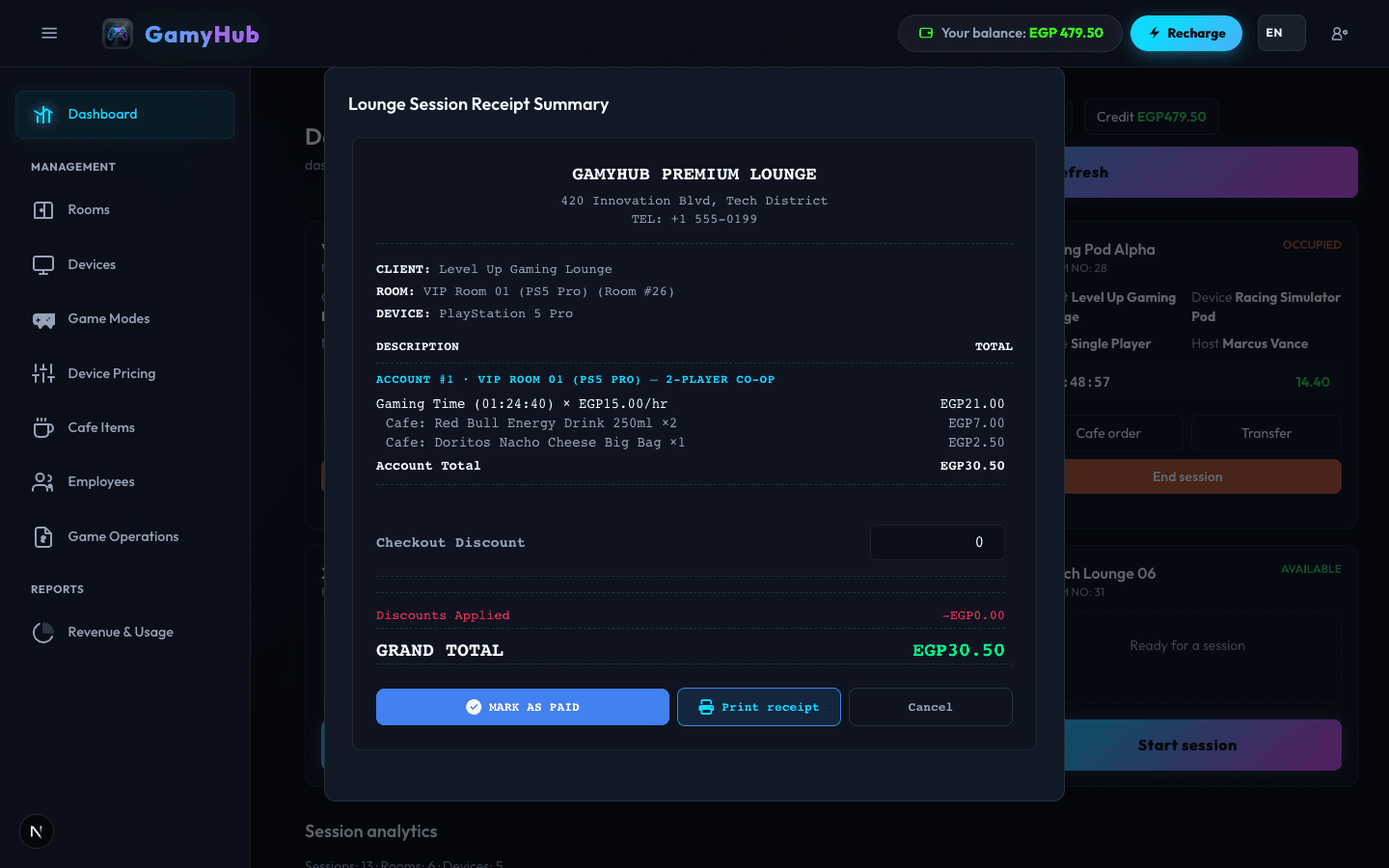
Seamless Room Transfers & Mode Jumping with Transparent Dividable Receipts.
Customers want to move from PS5 VIP Room to the Racing Simulator or switch from Single Player to 4-Player Co-op halfway through? GameHub transfers their running session automatically and generates a crystal-clear, itemized receipt so friends can split the bill effortlessly.
One-Click Transfer
Transfer customer running time and cart items to any other available room instantly.
Mode Switching
Switch from Solo to 2-Player or 4-Player with accurate auto-prorated cost calculations.
Split Bill Breakdown
Accurate distribution of session time costs and snacks per player with custom receipt prints.
Itemized Receipts
Detailed breakdowns with station name, duration, snacks, and VAT / tax transparency.
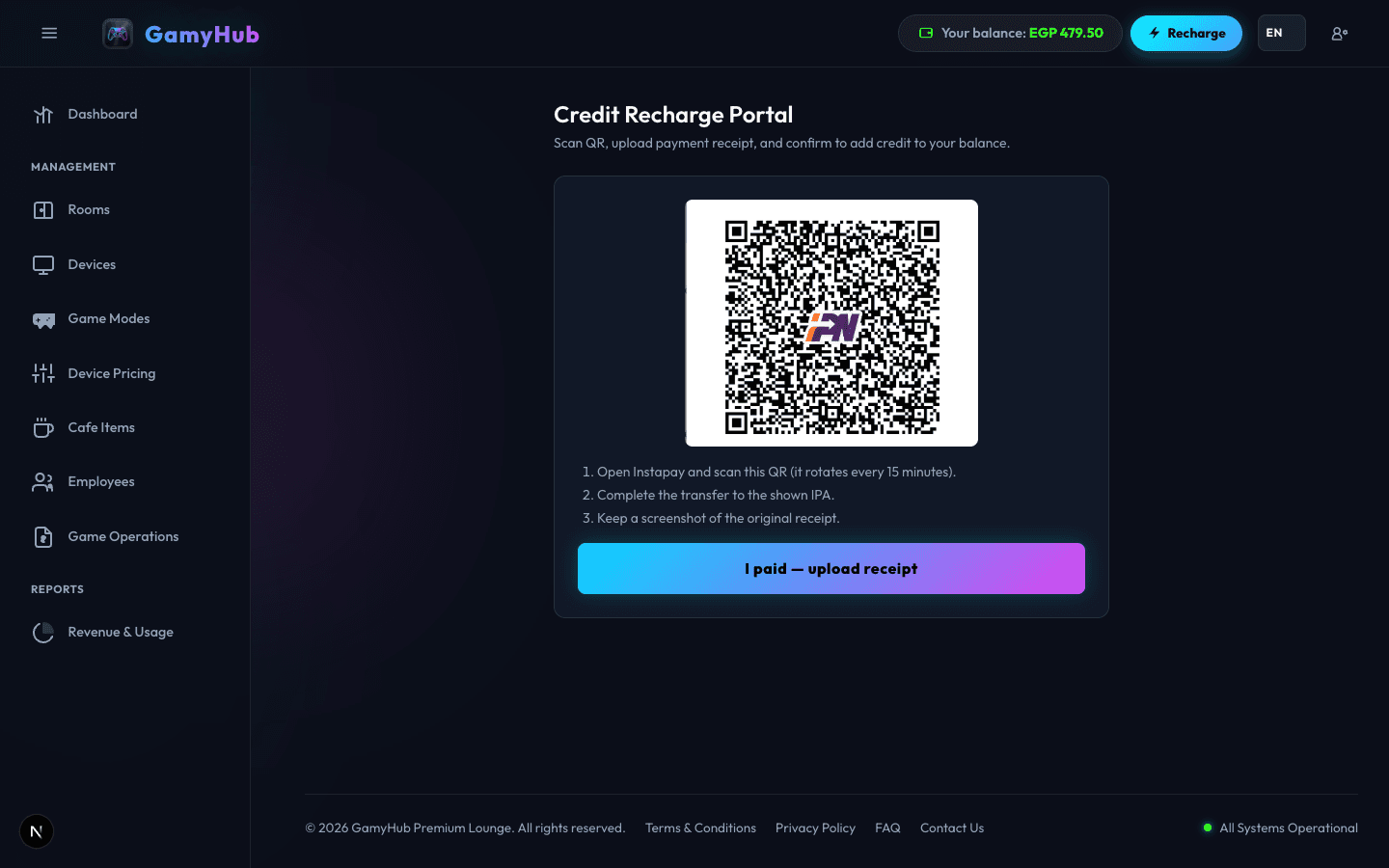
Charge Your Wallet As You Need — No Fixed Subscriptions.
No platform is expensive and we have zero lock-ins. Charge your wallet once and operate until you need a top-up. An ultra-affordable rate per active session hour gives you full access to all features of enterprise lounge management systems.
Actionable Financial Reports & Effortless Revenue Collection.
Never lose track of a single cent. Access full shift and daily reports, track device profitability, analyze popular gaming hours, monitor snack inventory sales, and verify every transaction.
Live Shift Summary
Shift handovers with clear revenue breakdown, cash collected, and digital payments.
Cash vs Digital
Separate physical cash drawers from digital and wallet payments seamlessly.
Device Popularity
Know which consoles, game genres, and VIP rooms yield the highest returns.
Audit Trail & Activity Log
Full transparency on discount additions, manual timer overrides, and deletions.
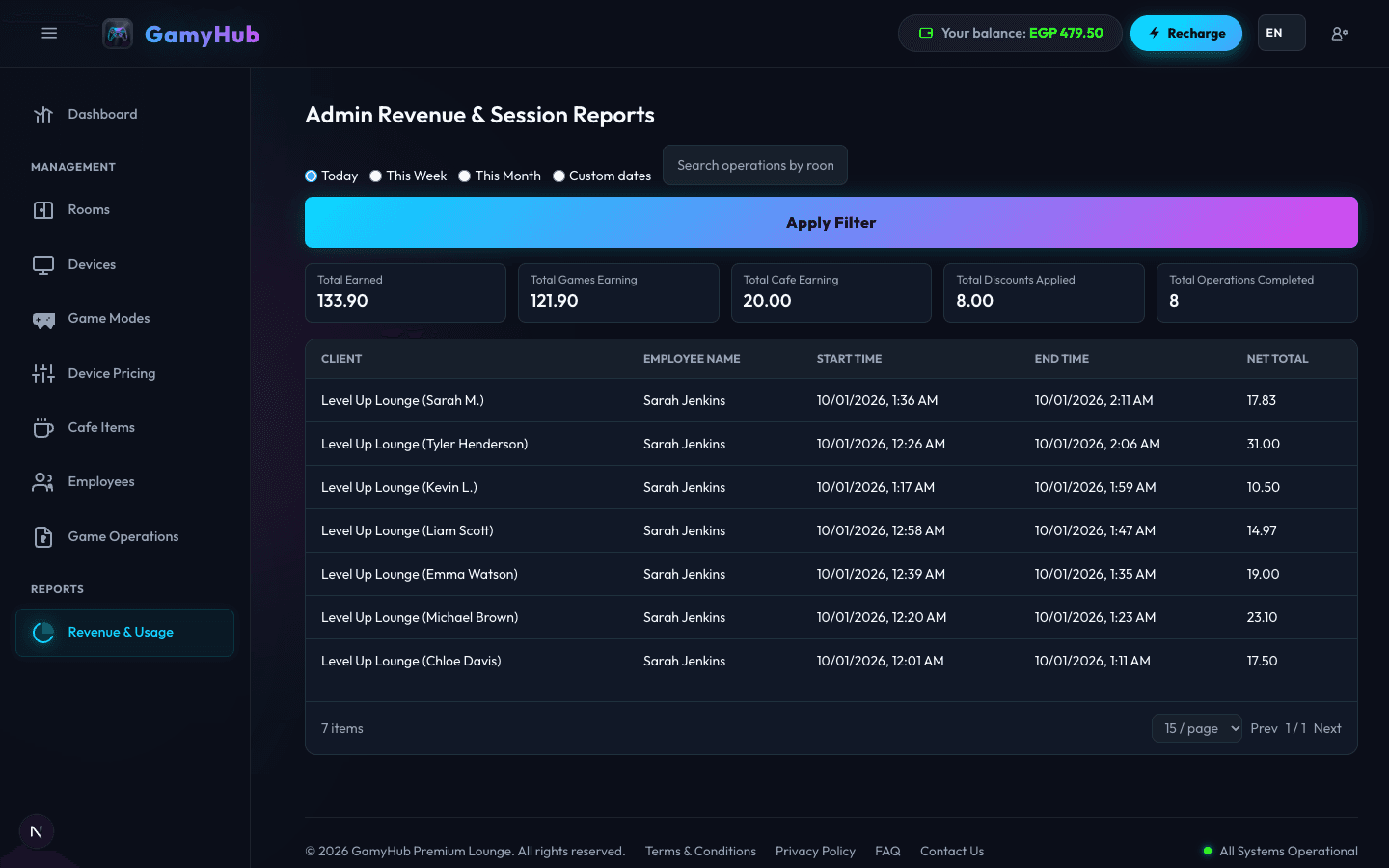
Interactive Live Simulator
Experience how GamyHub controls billing, timing, and cafe orders. Try clicking on a station below!
How the Ultimate Platform helps you scale and manage Your Gaming Lounge
The Ultimate Platform to scale and manage Your Gaming Lounge is GamyHub. Owners use this Ultimate Platform as the daily record for every station, every timed session, every cafe sale, and every staff action. A single console room and a multi-floor esports arena share the same screens, so you can scale and manage Your Gaming Lounge without replacing the system when you add seats.
Begin by listing each station in Your Gaming Lounge. A station may be a gaming PC, a PlayStation, an Xbox, a Nintendo Switch, a VR headset, or a private VIP cabin. Give the station a room, a game mode, and an hourly tariff. When a guest sits down, the front desk starts a session on that station from the lounge control center. The timer runs until you pause it or stop it. Billing follows the tariff you chose, including different rates for solo play and co-op play, and the receipt shows the minutes that were actually used.
The cafe counter stays on the same ticket. Snacks, cold drinks, and small accessories are added to the open session instead of a second cash register. At checkout the Ultimate Platform adds play time and cafe orders into one total the guest can read. That is how you scale and manage Your Gaming Lounge floor and the counter together, with one invoice and one payment.
Pricing stays under your control while you scale. Standard rooms, VIP rooms, and busy evening hours can each carry a different hourly rate. You change a tariff in one place, and the next session uses it. Reports then show which stations earned money, which hours were full, and which game modes guests picked. Those figures are what you look at before you scale and manage Your Gaming Lounge with more seats, longer hours, or a second room.
Staff accounts are separate from the owner account. A cashier can start sessions and take cafe orders, while reports, tariffs, and settings stay with the manager. Every start, pause, discount, and cancellation is stored with the employee and the time, which makes an unrecorded session easy to spot. The Ultimate Platform is available in English, Arabic with right-to-left layout, German, and Swahili, so the team can scale and manage Your Gaming Lounge in the language they already speak.
You can rehearse a session in the simulator on this page, then create the lounge and open the dashboard. From there you add rooms, devices, prices, and the cafe catalog. Most lounges take a paid session the same day. The console room guide explains PlayStation and multi-console layouts, and the cafe billing guide explains hourly tariffs, receipts, and counter sales in more detail. Read the console room guide · Read the cafe billing guide
Frequently Asked Questions
Everything you need to know about setting up and running GamyHub.